Your AI can now push a small piece of your own code, and a relay runs it: with a signed-in person’s own rights, or with only the access you approved when nothing triggered it.
Added
- Edge functions, in Development and on Live. Ask your AI (
put_function) or runnpx gemmein functions push <name>. A function is one bundled module with a declared reach — the collections it may read or write, whether it may spend the caller’s credits, and which outside hosts it may call — plus named secrets, each bound to those hosts. - A relay’s
run_functionaction runs it. When a signed-in person triggered the relay, the function has that person’s own rights; when nothing did, it has only the reach you approved. A signed-out visitor’s app call (who: "anyone") runs one too, at 25% of a signed-in call’s limits, and never spends credits. - Function runs are part of your plan, pooled across every live app on the account: Launch 1,000,000 a month, Run a business 2,500,000, Grow 7,000,000. Development gets 500 a day per app for building and testing.
- Two new alerts: when a Live app’s function runs reach 50%, 80% and 100% of its allowance, and when they pause for the rest of the period.
Changed
- A function reaches Live only through going live or a promote, which carries its reach and its secrets’ names, never their values. A Live function waits, paused, until you set each secret’s value there.
- Each run gets 200 ms of processing in Development and 2 seconds on Live, and finishes within 10 seconds when your app calls it directly, or 30 seconds when it runs in the background.
npx gemmein devon your machine doesn’t run functions. It tells you to push them and run them in your Development.
For AI agents: every rule, setting and error code in this release is in the changes feed.
Versions. Engine 0.29.1 · gemmein launcher 0.29.1 · @gemmein/sdk 0.23.1 · @gemmein/mcp 0.20.1
Docs: Relays · functions_unavailable · Pricing
Ask your AI for “today’s bookings, and let me confirm or cancel them” and it makes a view: a page in your dashboard over one collection, as a table, cards, a calendar or a board, with totals and buttons that move a record along. Pricing is now one plan per account — Launch, Run a business and Grow — and a support chat is on every page.
Added
- Views. A view shows one collection as a table, cards, a calendar or a board, narrowed to what matters (today, this week, one status), with up to 10 totals and up to 10 buttons that move a record from one state to the next. Ask your AI (
put_view), or writegemmein/views/<name>.jsonand runnpx gemmein views push; open it under Views in the dashboard. - A view can also add, edit and reorder rows, with forms built from the collection’s own fields — from the dashboard, your AI or the CLI.
- A view is made in Development and reaches Live when you go live or promote. On Live, a button you press in the dashboard is your approval; when your AI or the CLI asks to press one, you approve it in your browser.
- A two-check confirmation before a connected AI assistant reads your customers’ names, email addresses, messages and records: read what it means, then Turn on or Cancel.
- “Replace every key”: after you rotate a Live key, the results page lists every outside key Gemmein cannot rotate for you — each AI provider key, your Stripe key — with a link to replace each at its own provider.
Changed
- Every secret key and function secret is encrypted on its own (AES-256), with the encryption keys held in AWS’s key-management service. Every use is logged, and anything that looks like misuse — a read from outside Gemmein’s own servers, or an unusual volume of it — raises an alarm.
- Promoting shows exactly what is about to go Live before you approve it.
- An outside address (call your URL, a webhook receiver) is approved once, then checked again at the moment it is called.
- A Live key is shown to you once, in your browser, and never sent to your AI.
- New pricing: one plan per account — Launch, Run a business (recommended) and Grow — sized by apps and pooled storage, Edge runs and email, never by active people (always fair use). Billing starts when an app goes live, and annual billing keeps its 2 months off.
- A support chat widget is on every page, and every page’s footer now says: “Questions? support@gemmein.com, we reply within 1 business day.”
For AI agents: every rule, setting and error code in this release is in the changes feed.
Versions. Engine 0.29.0 · gemmein launcher 0.29.0 · @gemmein/sdk 0.23.0 · @gemmein/mcp 0.20.0
Docs: Data · Relays · AI assistants · API keys · Security · Pricing
Your site is tested before every publish and reports its errors to you and your AI, approving a request carries it out, and keys are pasted on a Gemmein page instead of the chat, and a plan can be paid for before the app goes live. Your app’s people can follow, block, keep circles and make their account private, your app can charge credits for an action, and your own domain shows your site when you choose it.
Added
- Test your site before it publishes, on your machine with
npx gemmein dev. Ask your AI (site_test) or runnpx gemmein site test. A browser opens up to 12 pages of the draft at phone (390 px) and desktop (1280 px) width, signed in as a test member when the draft signs people in, and reports pass, warn or fail; each issue names its page, the evidence and a fix. Every publish there runs the same test first: an uncaught JavaScript error in your own files, or a page that never finishes loading, stops it with the file and line. The Site page shows each version's result, and what to check when you open it. Development runs up to 20 tests a day for each app. - Error reports from your site. Every page Gemmein hosts reports its uncaught errors, the Gemmein calls that failed or were refused, and the files that did not load, grouped with how often each happened. Your AI reads them with
site_errors, the CLI withnpx gemmein site errors, and you under Logs → Your site. Development’s reports need no approval; the Live site’s, from real visitors, need your approval to read Live (npx gemmein login --live-read). Reports are kept 7 days. - Follows and blocks.
g.people.follow(id),unfollow,blockandunblock, the same in the JavaScript, Expo and Swift SDKs. Your feed islist({ author: "following" }). When one person blocks another, neither reads the other’s records in any collection while signed in:getanswers404 not_found, and lists, counts and search leave them out. Any follow between them ends, and a follow or a message between them answers403 person_unavailable. - Followers-only posts.
create(data, { visibility: "followers" })oncommunityandsharedcollections, with photos uploaded byupload(file, { visibility: "followers" }). Read by the author, the author’s current followers, your dashboard and your server key. - Circles.
g.circles.create(name)makes a person’s own group, and its creator adds and removes members. A post made withcreate(data, { visibility: "circle:" + id })oncommunityandshared, and its files, are read by the circle’s current members, the author, your dashboard and your server key. - Private accounts.
g.people.setPrivate(true)limits that person’s posts and files oncommunity,shared,public_readandadmin_writeto them, the people they accepted, your dashboard and your server key. A follow becomes a request, answered withaccept(id)ordecline(id). - Each of these narrows who reads on every read: list, get, count, total, stats, search, expand, open fields, file links and
watch. A watcher is answeredresync: truewhen a follow, a block or a switch to private changes what it may read. Writes follow the collection’s safety rule. - Moderation. Remove someone from a circle, close a circle, or end a follow or a waiting follow request, from a person’s page on the dashboard,
npx gemmein people remove,close-circleandremove-follow, or your AI. On Live each is your approval in the browser, and each is on that person’s Logs. - Charge for an action. A relay with the
{ "kind": "app_call" }trigger is one your app calls by name withg.relays.call(name, input, { key })(Swiftg.relays.call(_:input:key:)). Its first action,spend_credits(1 to 10,000 credits), takes the caller’s own credits before thewrite_recordit pays for. Too few credits answers402 credits_exhaustedand nothing is written; if the write fails, the credits are refunded once, and the samekeynever charges twice. - Buy your plan from the chat. Ask your AI (
buy_plan), runnpx gemmein plan buy, or press Pay now under Settings → Usage & billing. Each opens Gemmein’s payment page for one app with the plan your AI named already picked; you may pick another tier or yearly there, and you pay in Stripe’s window. The app then owns that plan and billing starts. It stays in Development until you approve going live, which then has no payment step. Everything the page says about money is read from Stripe. If your last payment did not go through, update the card in Stripe before going live. - Find the right tool:
tools_map. It returns the hosted connector’s 96 tools in eight groups with one line on when to use each, and, for a goal such as take payments or put my site live, the order to call them in. Each Live change is now its own tool (request_go_live,request_promote,request_grant_creditsand 12 more), andrefund_stepsreads a refund’s steps in Stripe. - Gemmein checks a domain that is not proved yet on its own: every 10 minutes for the first day, then hourly, for 7 days after it is added or checked.
Changed
- The Development preview opens with its link, for you and anyone you send it to, with no sign-in. Each app has one link, the same each time until you change it, turn it off or unpublish the preview; the Site page’s Open button,
npx gemmein site, every publish and your AI all hand you the same link, on the preview’s own address (https://<slug>-dev.gemmein.dev/p/<code>). Links already shared keep opening. The address without its link shows that the preview is private. - The preview link is a setting on the Site page, in the CLI (
npx gemmein site share --change,--off,--on) and for your AI (site_share_link,site_revoke_previews). Change link cuts off everyone who has the old link, up to 20 times a day. Turn off keeps the preview private: only you open it, signed in to Gemmein, for 12 hours on each device. Turn on makes a new link. A changed or switched-off link opens a page that names nothing about your app. - Approving a request carries it out. When your AI or the CLI asks for a Live action, pressing Approve runs it once, and the AI and the CLI read what happened. If it did not run, Try again on the approval page runs it with no new approval or code, for 10 minutes after you approved.
- Keys are pasted on a Gemmein page. When your AI needs your Stripe restricted key or an AI provider’s key (
connect_payments,provider_key,npx gemmein connect stripeornpx gemmein connect ai <provider>), it sends you a link to a page on Gemmein. You paste the key there, Gemmein checks it before saving, and your AI is told the moment it is stored. - Your own domain shows your site only when you choose it: Show my Gemmein site here on the domain’s page,
npx gemmein domains show <domain>or your AI (domain_site), then the one CNAME record the page lists. Stop showing my site here (npx gemmein domains hide <domain>) turns it off, and the domain stays verified. A proven domain that points at another service reads Hosted elsewhere and is left as it is.
For AI agents: every rule, setting and error code in this release is in the changes feed.
Versions. Engine 0.27.0 · gemmein launcher 0.27.0 · @gemmein/sdk 0.21.0 · @gemmein/mcp 0.18.0
Docs: Your site · Your own domain · A call from your app · People and circles · Usage & billing · MCP server
Your Live site can open on your own domain and be taken offline, and each Live change asks for what it is worth: your approval alone for a change to one customer, your approval and an emailed code for a change to how the business runs, and your approval then the payment to go live. A new safety rule, app_only, keeps answers and scores out of reach of the people using your app.
Added
- Your Live site on your own domain. Once the app is live, a domain you have proved can show the Live site: add one CNAME record at your DNS provider and Gemmein checks it and sets up https. Each app can have up to 5 of its own addresses on every plan, and a buyer returns there after paying.
- Take the Live site offline. Your AI asks, or you press Take offline on the Site page, and you approve it. The Live address and every own domain then show a plain “This site is offline” page. Every version and file is kept, and putting a version live again brings it back.
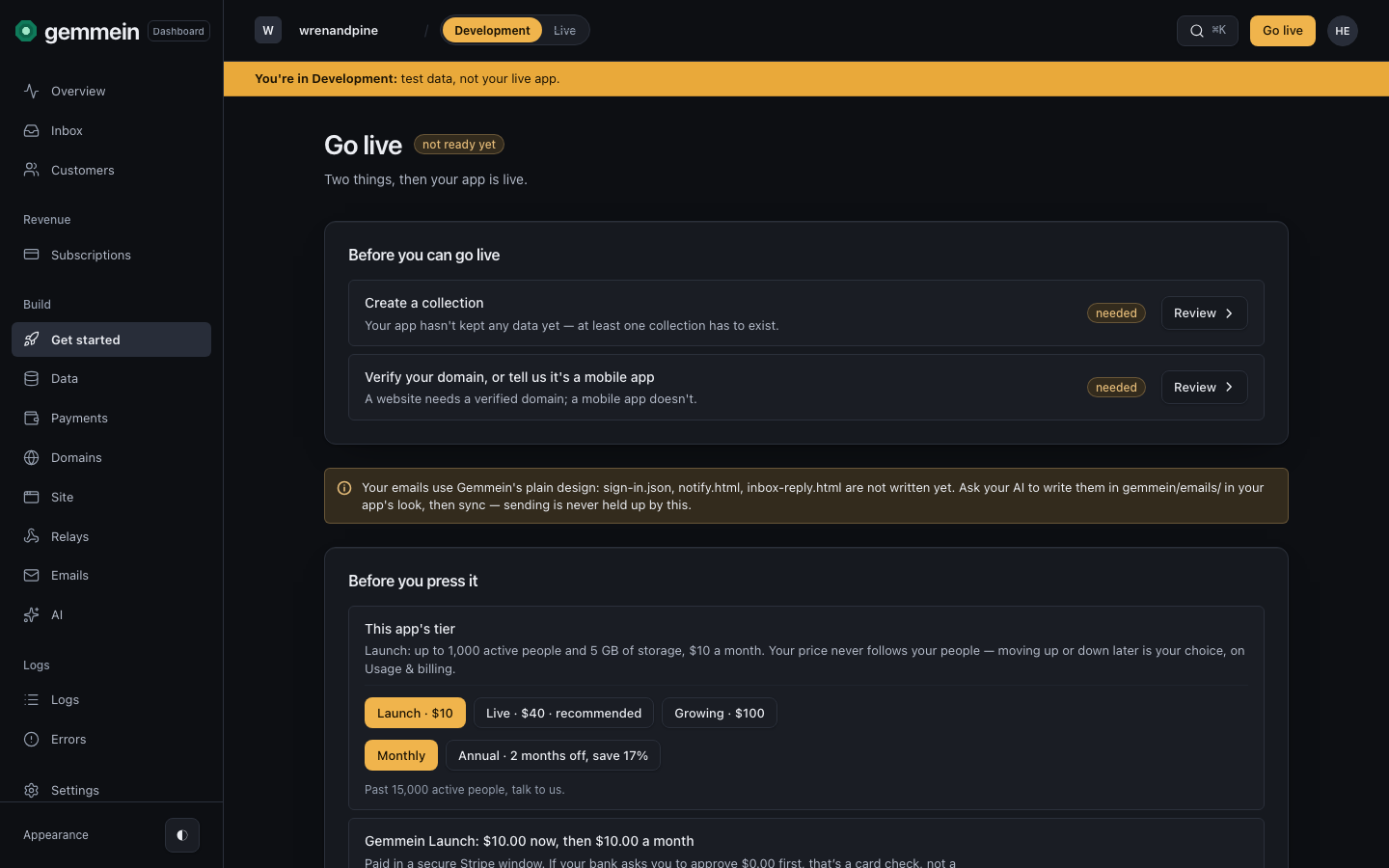
- Going live shows exactly what it charges before you confirm: Launch $10, Live $40 or Growing $100 a month, or yearly with 2 months off. Pressing Go live, or approving your AI’s request to go live, and then paying, is the whole confirmation; no code is asked.
- An eighth safety rule,
app_only. Nobody using the app reads or writes it, signed in or not, and every app call answers403 app_only. The dashboard, your server’s secret key and relays reach it. Use it for hidden answers and for scores your server keeps. - Show and hide times on records.
createandupdatetakeshowFromandshowUntil: outside that window, by Gemmein’s clock, the record is hidden from every reader but its author, your dashboard and your server. Onshared,community,public_read,admin_write,addressedanddirect. - Rankable numbers.
"rankable": ["score"]in a collection’s file, up to 3 number fields, letslist({ sort: { by: "score", order: "desc" } })order by one of them, each record carrying itsrank.
Changed
- Approvals follow the size of the change. A change to one customer, such as credits, a suspension, a deletion or a reply, needs your approval alone. A change to how the business runs, such as a Live push, a domain, a key, prices or taking the site offline, also asks for the code Gemmein emails you and, if you set it up, your authenticator app’s code.
- With an authenticator app set up, its code is asked at sign-in and for every change to how a Live business runs, the same list as the emailed code. Before 0.26.0 it was asked at sign-in and before deleting a Live collection, a domain or your account.
For AI agents: every rule, setting and error code in this release is in the changes feed.
Versions. Engine 0.26.0 · gemmein launcher 0.26.0 · @gemmein/sdk 0.20.0 · @gemmein/mcp 0.17.0
Docs: Your own domain · Safety rules · Collections
Gemmein now hosts your app's frontend. Ask for it in ChatGPT, Claude or your coding agent, or run npx gemmein publish, then open the finished product on your laptop or phone: every change lands on a private preview, and your public site changes only when you approve a version.
Added
- Your app's frontend gets two addresses: a private Development preview at
<slug>-dev.gemmein.devand its public Live site at<slug>.gemmein.dev. Your AI publishes from a chat withsite_draft,site_put_fileandsite_publish, or from a computer withnpx gemmein publish, and each publish answers LIVE with the preview's address and version, or FAILED with the step, the file and the fix. LIVE means your private Development preview now serves that version: your public Live site doesn't change until you put a version live. - Ask for a change and your AI changes one file and publishes only that file; a preview tab you have open reloads itself within seconds, on the same page. This works through the Gemmein connector in ChatGPT, and in other AI apps and coding agents, some of which take voice. Each app runs MCP connectors its own way, so the experience varies from app to app.
- The preview opens for you after one sign-in on each device, and for anyone you send a 7-day share link. The Live site changes when you approve putting a version live, in your browser.
- Every version is kept: roll back, download any version as a zip, read the history of every publish, and rebuild a version with every file checked again. Up to 2,000 files and 50 MiB per site, and every text file is scanned for a secret key before it is served.
- Status across the board from chat: Stripe, AI provider keys, AI tools, relays, Development's caps, domains, email, approvals waiting and what Live still needs. Your AI reads Development's logs and relay runs, and replays a run.
- Customer details reach an AI assistant only while you switch them on (Settings → AI assistants, off by default). Anything a customer wrote reaches your AI marked as that customer's data, and flagged when it reads like an instruction, never as a request from you.
- Email can be added to a domain already added for the web.
Changed
- A browser approval alone is the default. The emailed code is asked only for a dangerous change, such as a Live push, a promote or deleting a collection.
- A CLI sign-in lasts 7 days, and a Development server key is made at once under it.
- Every reply your AI drafts in the Inbox waits for your approval, showing the exact text and the customer it goes to.
Versions. Engine 0.25.0 · gemmein launcher 0.25.0 · @gemmein/sdk 0.19.1 · @gemmein/mcp 0.16.3
Docs: Publish your site · The hosted connector · Every change in 0.24.0 and 0.25.0
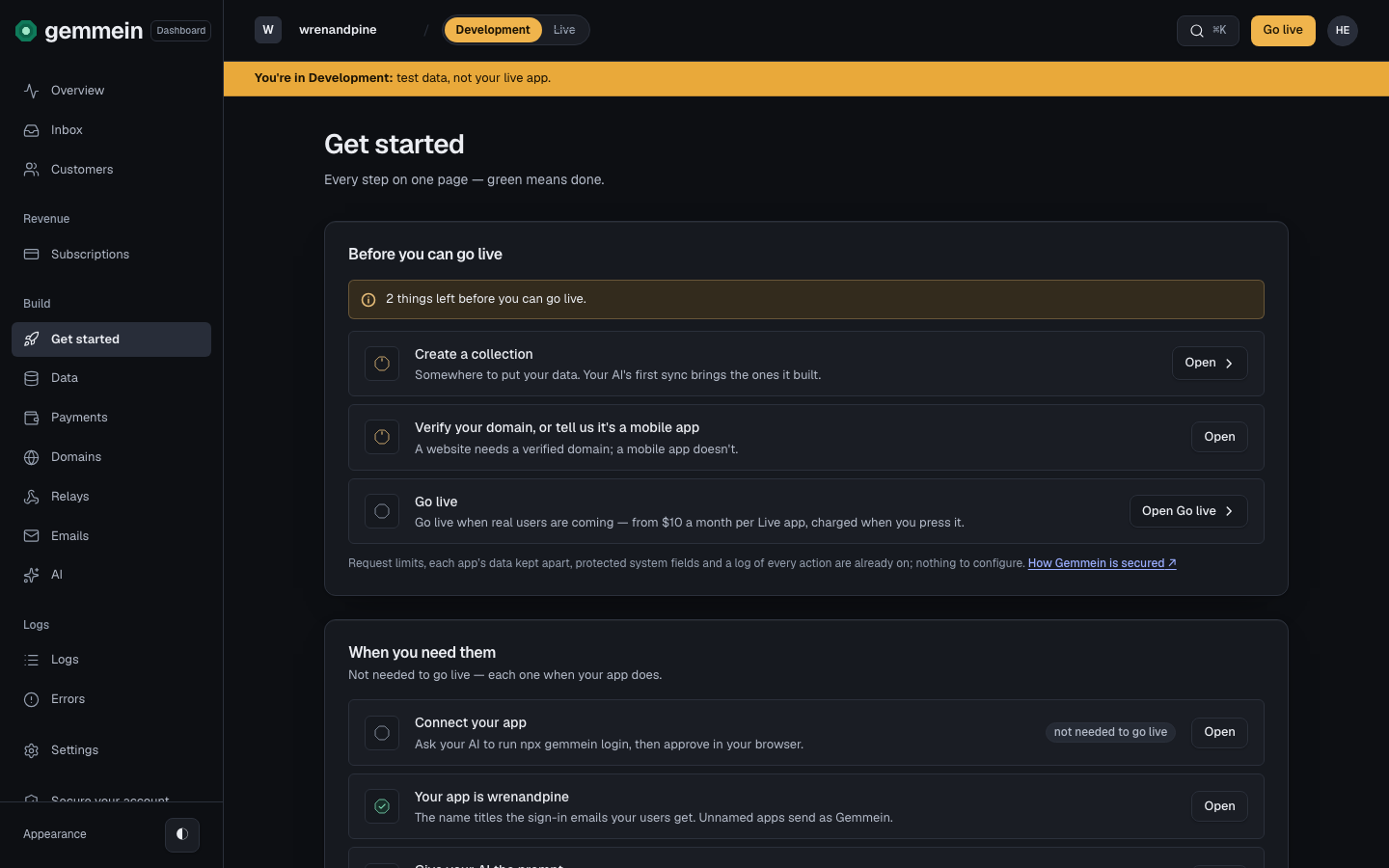
Your AI builds after one approval in your browser, with every key kept out of the chat, and AI apps with no terminal connect at one address. Collections declare their fields, relays check any sender’s signature by its standard, and a test kit lets your AI prove the app in Development before anyone pays.
Added
npx gemmein loginprints a link and a short code, and you press Approve in your browser. Each Live action asks for its own approval, for exactly the changes shown. The dashboard's Approvals page lists the machines working now, the requests waiting and what each approval was used for.- The hosted connector: Claude, ChatGPT, Lovable, Replit, Bolt and v0 add
https://api.gemmein.com/mcpand build your app in Development for 30 days after one approval. Reading Live is its own approval, and each Live change is approved on its own. - A test kit in Development: test members, the sign-in codes and emails they receive, and
npx gemmein paythrough your app's real checkout with Stripe's test card. - Relays check any sender's signature by its standard: HMAC-SHA1, SHA-256 or SHA-512, Ed25519 or ECDSA P-256, the key, the text that is signed and where the signature sits. An event a sender doesn't sign acts only when the relay opts in.
- Chat tools run on any OpenAI-compatible provider, such as OpenRouter, Mistral or Groq, beside OpenAI, Anthropic and Google.
npx gemmein keys createmakes a server key with exactly the access named, andnpx gemmein domains addadds a domain, each on one approval.- Your app's people stay signed in on up to 10 devices, see them, and are emailed when a new device or country signs in.
- Your Gemmein account can add an authenticator app, a second factor that is asked for at sign-in and before a Live delete, with recovery codes.
- Docs for agents: every docs page has a Markdown copy at its address plus
.md, every error code has its own page, anddocs.gemmein.com/search?q=returns the five best sections with their links.
Changed
- Each Live app pays a flat price for the plan you pick: Launch $10, Live $40 or Growing $100 a month, for up to 1,000, 5,000 or 15,000 active people and 5, 50 or 150 GB of storage. Annual billing is 2 months off, and storage packs add 50 GB for $5 a month. People and storage are limits: going over one never adds a charge.
- Usage & billing alerts warn you when an app reaches 80% of its plan’s people and email you when a grace ends. Removing a storage pack or moving down a plan needs your files to fit first.
- Every community, shared and direct collection declares its fields, and a live collection only grows: tightening a field waits for your approval.
- The Development app key works from any secure (https) address, a browser builder's preview included. The Live app key works only on your verified domains.
- The Stripe key holds 5 permissions, plus 2 only if you sell plans, and Gemmein sets up the billing portal from your plans.
- A failed Gemmein payment starts a 7-day grace with reminders. After it, only Live pauses: Development keeps working and nothing is deleted.
- Browser approvals replace the CLI key and the one-hour Live sync key.
Versions. Engine 0.23.0 · gemmein launcher 0.23.0 · @gemmein/sdk 0.18.0 · @gemmein/mcp 0.16.0
Docs: The hosted connector · The signature recipe · Get started · Every change in 0.23.0
Collections and products take audio and video, and AI tools take the files people upload, priced per run. Collections gain likes, choices and per-person flags, posts that wait for your approval, and records sent to many people at once.
Added
- Audio and video upload to every collection and sell as products: up to 100 MB of audio and 500 MB of video per file, sealed like every file, and played inline in
<audio>and<video>. - An AI tool takes images, audio, video or documents, each a tick per tool. Pass a person's upload by its reference to
g.ai.run. A tool that takes files is priced per run, the same credit price whatever the file's size. - Open fields let any signed-in reader change one field by one operation: a like counted once per person, a choice from a fixed list, or a person's own flag such as read or going. Each has its own relay trigger, and none ever moves money.
- A community collection can hold posts for your approval. The dashboard shows how many wait, and Records publishes them.
list({ count: true })returns the total, andlist({ author })returns one person's records.- A message can go to up to 20 people, so your app can run small group chats: each message is one record the whole group reads.
Changed
- Promote compares file contents. An item is tagged update only when Development's differs from Live's, and Development's replaces Live's.
- Each app had 100 GB of storage, or 50 MB per person when that was more, until 0.23.0 replaced it with storage per plan. Uploads, including files handed to AI tools, count toward it.
- The local runtime (
npx gemmein dev) sends pseudonymous progress milestones: a random install id, the milestone name and the CLI version, stored with the first day seen and no IP address.gemmein telemetry off,DO_NOT_TRACK=1or CI turns them off.
Versions. Engine 0.22.0 · gemmein launcher 0.22.0 · @gemmein/sdk 0.16.0 · @gemmein/mcp 0.14.0 · GemmeinSwift 0.16.0
Plans carry free trials, subscribers manage their plan in your Stripe customer portal, and products can be bought without signing in. Your AI writes your emails and sets up how your app is sold in Development, and the dashboard is rebuilt on one component kit.
Added
- 3 Oct: Stripe connects with one restricted key per environment. Gemmein makes your Stripe products, prices and Payment Links, registers the webhook, and checks the connection on a schedule.
- 27 Sep: the dashboard shows one environment at a time, Development or Live, with a switch in the top bar; Development uses Stripe test mode and Live uses live mode.
- A paid plan can carry a free trial, one per customer per app.
mine()answerstrialing,trialEndsAtandendsAt. - Subscribers change plan, cancel or update their card in your Stripe customer portal, through
g.subscriptions.manage(). Credits follow the money: an upgrade grants in proportion to what was paid. - A product can be bought without signing in. The buyer gives Stripe their email, the purchase is theirs the first time they sign in with it, and Gemmein emails them a link to their Library.
- After paying, the buyer returns to your app. Payment Links follow your verified domain, and each environment has its own return path.
- Your AI writes the HTML for the purchase email,
notify, relay emails and Inbox replies ingemmein/emails/. Gemmein cleans it, adds the required footer, previews it and sends one test. The sign-in email takes your logo, colours and greeting. gemmein/payments.jsonsets prices, delivery, credits, tax category and trials, andnpx gemmein syncapplies it to Development.npx gemmein payments --cloudandnpx gemmein domainsread back what is set up.- A per-app switch asks UK and EU buyers of instantly delivered products for the 14-day digital-content waiver at checkout, linked to your terms.
- A hard bounce or spam complaint stops mail to that address for that app, shows a note on the customer and answers
notSentonnotify(). You can clear it. - Connect a domain on Cloudflare in one step. Every other provider gets each record marked found, missing or wrong, with Copy all.
Changed
- The dashboard is rebuilt on one component kit: every list row is a button, one keyboard model, and one error pattern that marks the field and keeps a message until it is fixed.
- Going live is paid in a Stripe Checkout window inside the dashboard. The summary states the exact charge first.
- Relays run within seconds of the change that triggers them. Each grant applies once per target, and a retry applies the same grant.
- Going live and promoting carry product files, relays and AI tools into Live. A tool waits paused until Live has its own key.
- Making a collection private moves its files off public addresses. Deleted collection names can be reused, and a collection that holds records cannot be deleted.
- Sign-in codes and confirmation codes are counted separately, so confirming an action never uses up sign-in attempts.
Versions. Engine 0.21.0 · gemmein launcher 0.21.0 · @gemmein/sdk 0.15.0 · @gemmein/mcp 0.13.0 · GemmeinSwift 0.15.0
Build for iOS and Android with the same SDK methods as the web, and sell through the app stores with RevenueCat.
Added
@gemmein/sdk/expois a second entry point of the same package for React Native and Expo. It stores the session in the iOS Keychain or Android Keystore, keeps sign-in when the app goes to the background, and streams AI answers on React Native.GemmeinSwiftis a Swift package for iOS 17+ and macOS 14+, with the same method names in Swift style and no dependencies.- A method on one SDK exists on all three (JavaScript, Expo, Swift). An automated test checks the Expo and Swift SDKs against the JavaScript SDK.
- Every signed-in person has a
storeAccountToken, an opaque id to pass to RevenueCat as the app user id or to Apple asappAccountToken. A store's webhook resolves to exactly one person, without your app key or the person's email reaching the third party. - The Relays page offers RevenueCat as three ready relays: a purchase fulfils the product, an expiry revokes access, a cancellation revokes access. Each has its own webhook and secret, and the two that revoke access have their own check, so a purchase posted to the wrong URL cannot revoke what it paid for.
- A relay can identify the person by
person_idorperson_token, as well as by email.
Changed
- 25 Sep: an app that lives only on phones goes live without a web domain. Answer Where your app lives with mobile, on the Domains page or on Your app. A mobile-only app can still verify a sending domain for its email.
Versions. Engine 0.11.0 · @gemmein/sdk 0.10.0 · @gemmein/mcp 0.7.0 · GemmeinSwift 0.10.0
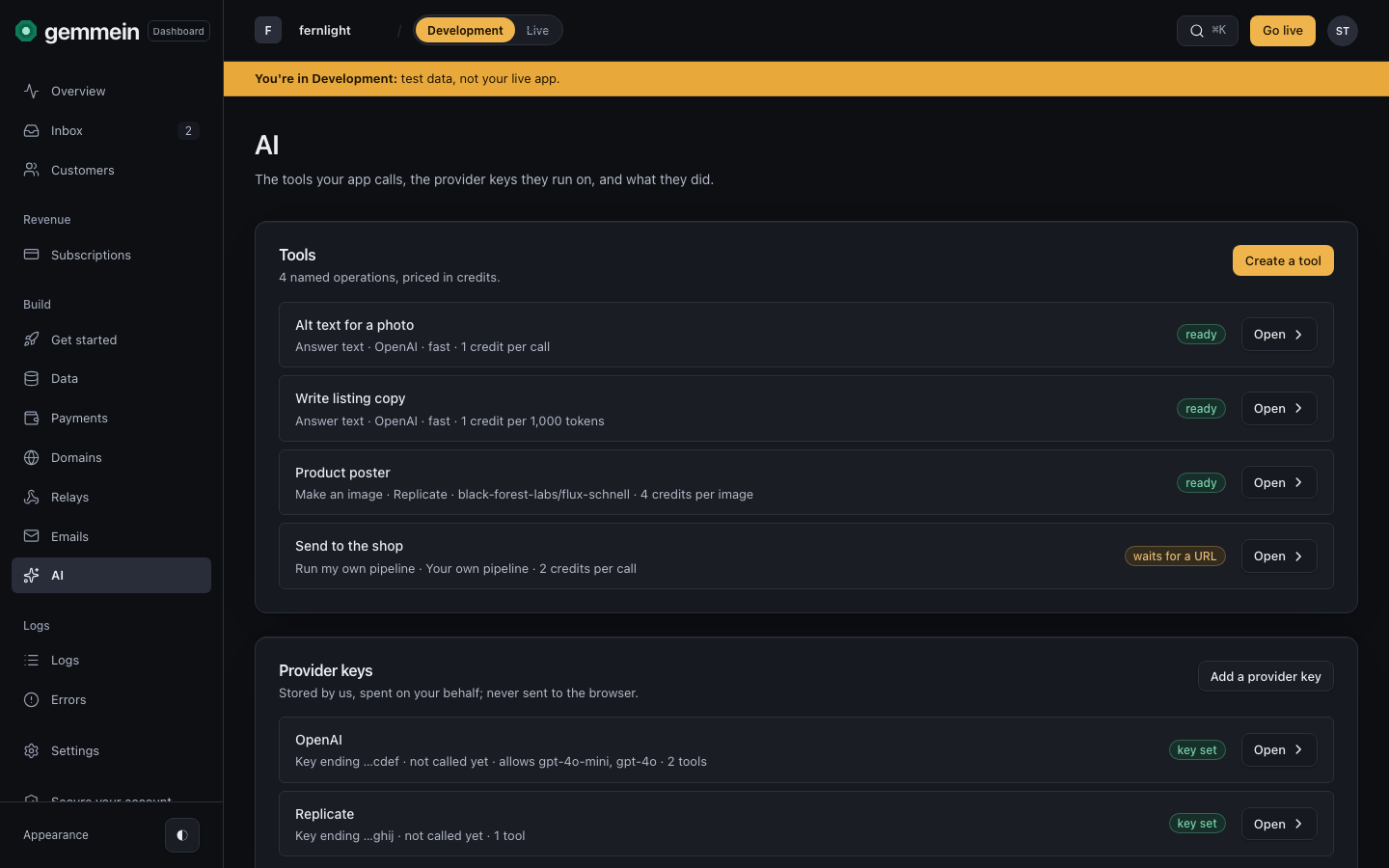
People hold a credit balance that your product spends. Your app calls named AI tools that you price in credits, on your own provider key, and a tool can return images, audio, video and transcripts as runs.
Added
- 19 Sep: an AI tool can send its runs to a URL you host instead of a provider. Relays can start runs, and a tool can be included with a plan.
- A product with "Grants credits" adds that many credits to the buyer's balance at each confirmed purchase. A full refund removes what is still unspent, never below zero. Credit packs never expire.
- Your server spends a person's credits with a reason, using a secret key with "Spend a person's credits". A spend with the same dedupe key for the same person runs once. A relay grants credits with
grant_credits. - The person's page in the dashboard shows their balance and ledger, and lets you comp credits with a note.
- 5 Sep: an AI tool is a named operation with a provider, an optional pinned model, a credit price from 1 to 10,000 and an optional access requirement. The price, model and access requirement come from your configuration, never from the browser. Refusals name the tool: "Deep Research costs 20 credits. You have 7."
- 7 Sep: a tool keeps its instructions, prompt template, inputs, model and caps on the server. Your app calls it by name with
g.ai.run, and the prompt never reaches the browser. Since 5 Sep, tools live ingemmein/ai/tools/<name>.jsonand go to the cloud withnpx gemmein sync. - 15 Sep: a job tool (an image, a video, audio output, a transcript) returns a run instead of an answer.
g.runsstarts a run, follows it to the end, lists a person's own runs and cancels an open one. Results are saved as sealed files on the person, read withg.files. - 15 Sep: ten providers (openai, anthropic, google, deepgram, replicate, fal, assemblyai, elevenlabs, runway and external). One provider key makes every kind of tool that provider sells.
- 25 Sep:
g.ai.upload(tool, file)uploads mp3, m4a, wav, webm, ogg or flac for a transcription tool, up to the provider's own limit (25 MB; 14 MB on Google). Only the person who uploaded the file can use it, and it is deleted after 24 hours if no run used it. - 7 Sep: every AI call is recorded per person: the tool, the cost, tokens, the outcome and the time. Prompts and responses are stored only for tools you turn that on for.
Changed
- 15 Sep: a tool is priced per call or per number of tokens. A token-priced tool and a run reserve their ceiling and settle at what the provider used. A failed or cancelled run releases the hold.
- 15 Sep: every credit has a named source: a pack, a plan period, a comp, a promotion or a refund. A spend uses comps and promotions first, then the plan's allowance, then packs. A plan's credits can roll over, a comp can expire, and a relay can grant credits that last a set number of days.
- 15 Sep:
g.credits.balance()returns spendable credits, credits held by work in progress, and the soonest credits to expire. - 25 Sep: "Credits each period" on the default plan grants credits once per person per calendar month (UTC), at their first spend that month. A one-time welcome allowance goes only to people who have never held a paid plan.
- 7 Sep: direct provider calls from the browser are off unless you turn them on per key. On 8 Sep, a tool could be saved before its provider key is added; runs are refused until the key is added, before any credits are spent.
Versions. First shipped in Engine 0.8.0 · @gemmein/sdk 0.7.0. Runs: Engine 0.12.0 · @gemmein/sdk 0.11.0
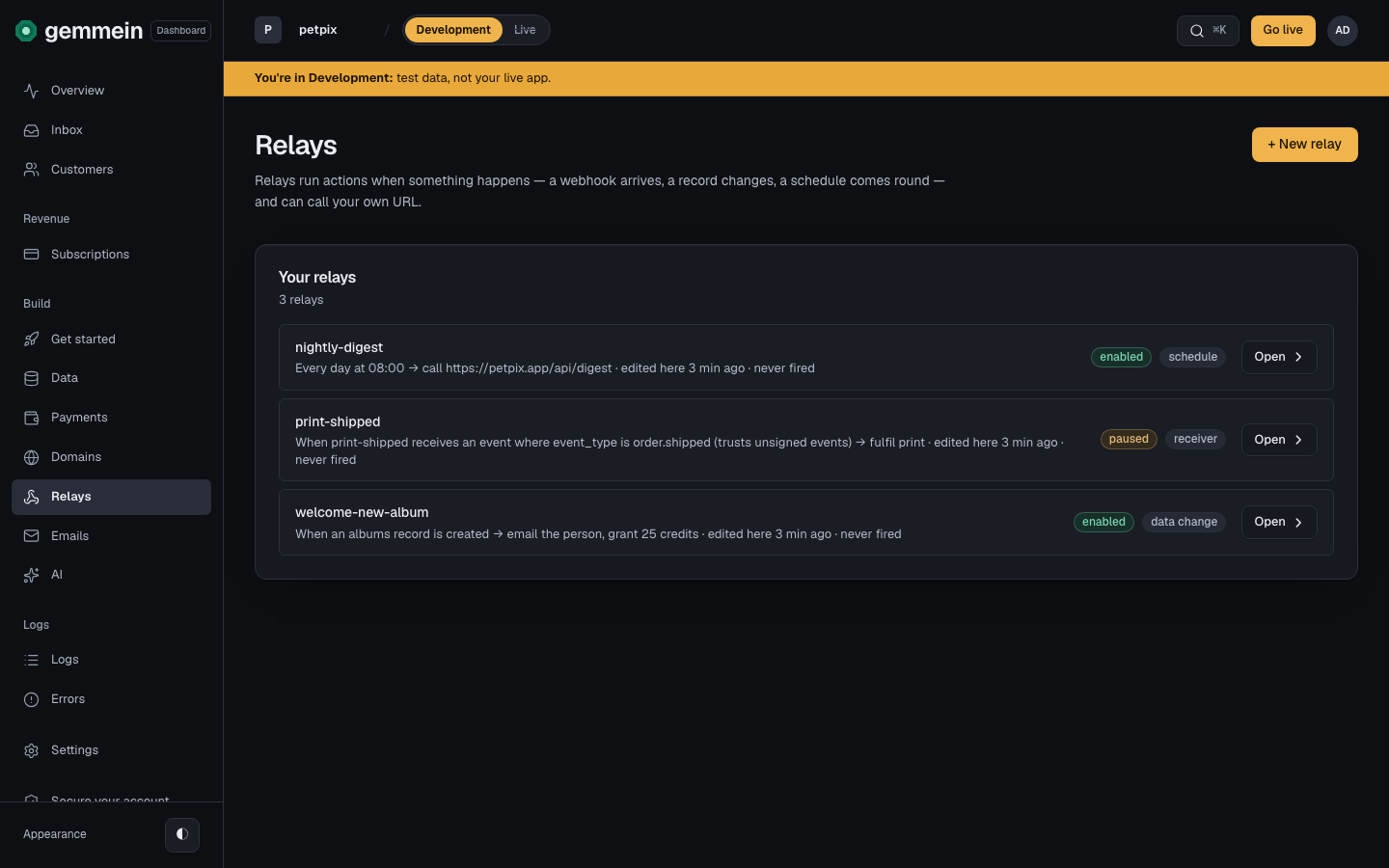
A provider's webhook, a schedule or a record change can run Gemmein's own actions for you, with no code of yours.
Added
- 3 Sep: code on your own host asks Gemmein who a person is and what they hold, and changes it, with a secret key. Every call a secret key makes is logged.
- A relay is one JSON file with a trigger and up to ten actions.
- Triggers: a signed webhook from any provider (such as GoCardless, Stripe or a svix-based sender), a schedule from every 15 minutes to daily at a UTC time, or a record created, updated or deleted in one of your collections.
- Actions: write a record, grant or revoke access, grant credits, email the person, or call a URL on your host with a signed body.
fulfil_productandrefund_productfollowed on 5 Sep. A relay runs only Gemmein's own actions: Gemmein never runs your code, it only calls the URL you give it. - Every event is recorded before anything runs and retried on failure. After seven failed attempts it stops, emails you once with the relay's name, the last error and a link to replay the event (on by default; switch it off in Settings → Notifications).
- The Relays page lists each relay with its URL, its secrets (shown once), and every event with each action's result.
- Access granted by a relay is recorded with the source relay. The person's page reads "granted by relay <name>", and no secret key can create this kind of grant.
- 15 Sep: a
credits_lowrelay fires once when a person's spendable credits fall below the threshold you set. The query operators (below, under Gemmein launches) also filter a relay'swhenand adata_changetrigger'swhere.
Versions. Engine 0.7.0 · @gemmein/sdk 0.6.0
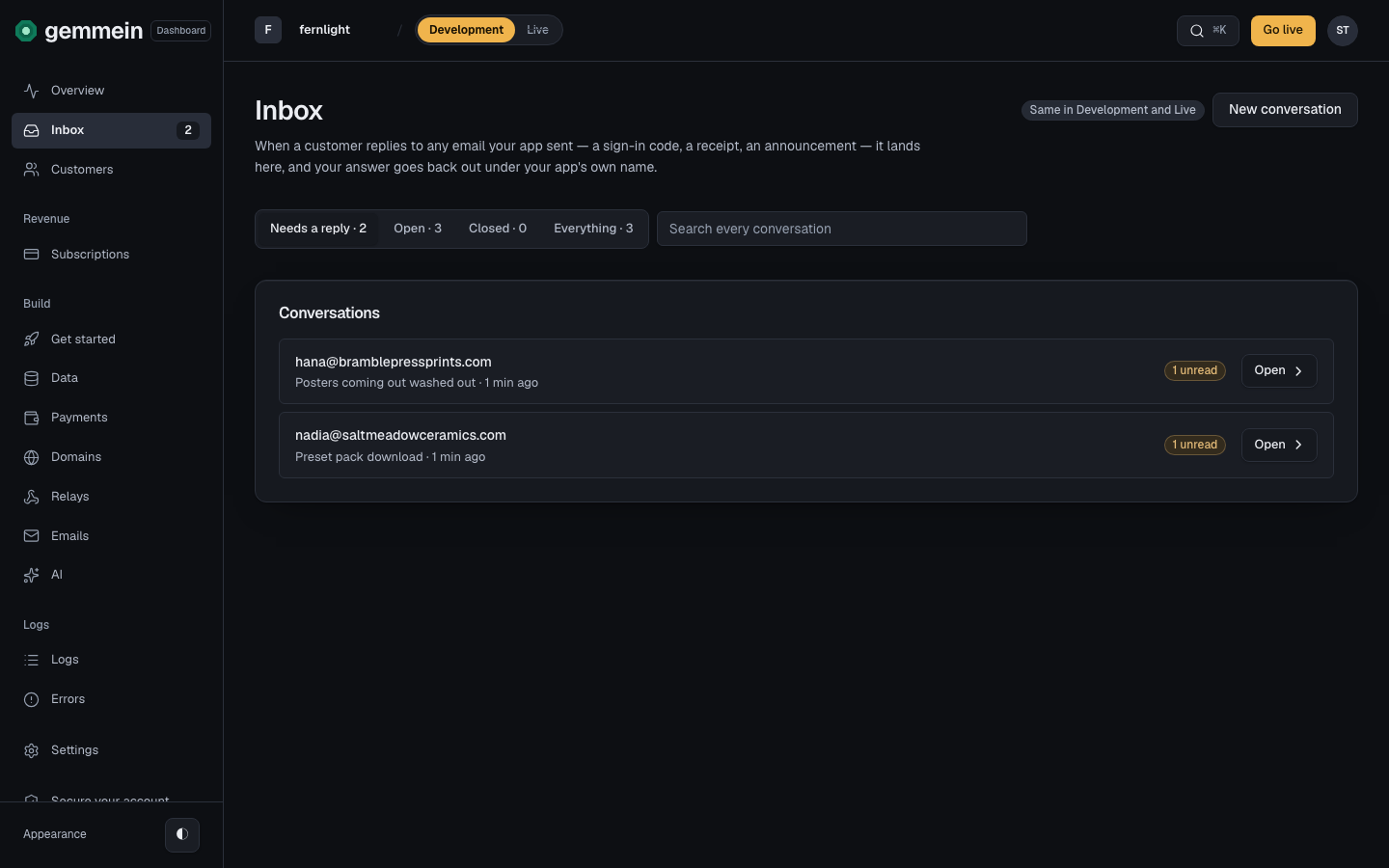
Sign-in codes and your replies go out from your own domain, replies land in your Inbox, and your server can email its own people.
Added
- Connect your domain on the Domains page. A verified domain has three sender addresses: account for sign-in codes and account notices, support for the address people write to and your replies, and news for other notifications.
- Add the records shown. Sending and receiving verify separately, and Check now tells you what it found. On 26 Sep, Download records added a zone file you can import into Cloudflare or GoDaddy.
- Replies go out from your support address, threaded under the person's message. To read mail in an existing mailbox, set a forward; the dashboard sends a test message through it. Your domain's own mail records are never changed: receiving uses a subdomain Gemmein manages.
- 26 Aug: your app's server can email its own signed-in people, such as "order shipped" or "booking confirmed". Other emails are capped at five per person per day, and the whole app shares an hourly limit. Account and security notices are exempt from the cap. Every app email says why the person is receiving it, appears as a thread in your Inbox, and is logged.
- 23 Aug: start a conversation from the Inbox: pick a person, a subject and a message. Their reply lands in the same thread.
- 23 Aug: alert emails when you outgrew your band (since 0.23.0, when an app reaches 80% of its plan's people), a person has waited 12 hours, your card failed, your domain or email forward stopped working, or storage is at 80% or full. The two billing alerts are always on.
- 26 Sep: choose the colour of the code box in your sign-in emails. Sign-in emails from your own verified domain carry one line, "Powered by Gemmein".
Changed
- 8 Sep: sign-in emails have no daily limit. The limits are 3 per address and 20 per IP per app, each per 15 minutes.
Versions. No package update: email runs in the API and the dashboard. App email in the local runtime: Engine 0.4.6
Building is free. From 30 Jul to 13 Oct, a live app paid one plan whose price followed last month's active people, from $50 to $150 a month; 0.23.0 replaced it with a flat price per Live app.
Added
- 25 Sep: Today, Setup and Go live count only the steps going live needs: a collection, plus a verified domain unless the app is mobile-only. Connect, the AI provider key and payments stay listed, each marked "Going live doesn't wait on this."
- 26 Sep: a browser call from an address you haven't added returns
403 origin_not_allowedwith areasonfield. Once your app is live, those addresses show up in Problems with an Open Domains button.
Changed
- 13 Oct: banded pricing was replaced by a flat price per Live app (0.23.0).
- One live plan in five bands: $50, $75, $100, $125 and $150, priced on last month's count. $150 was the cap; Gemmein priced beyond it on request. Until 13 Oct you could hold at your current band from Usage & billing.
- 30 Jul: usage ceilings grow with your people count, have minimum floors, and reaching one never creates a charge. Usage-limit errors say when they reset (
resetAt). - 8 Sep: a person counts once a month, on their first signed-in request that month, on web and mobile. Polling counts. Signed-out visitors and you never count. Development is never billed. Until 13 Oct the bill followed this count; since 0.23.0 people are a plan limit, not a charge.
- 23 Aug: outgrowing your band never stopped your app. You were told once, and the next month was billed at the band your people count reached (until 13 Oct).
- 23 Aug: storage is the one limit that can fill. You are told at 80% and at full. From 23 Aug to 13 Oct, uploads kept working up to twice the storage allowance; since 0.23.0 a plan's storage limit has a grace of 10% over it or 7 days, whichever comes first.
Versions. No package update: pricing and going live run in the API and the dashboard
Docs: Go live · Usage and billing
A payment opens access to a collection and a refund removes it, with no code in your app. Sell through Stripe or any provider you connect with a relay.
Added
- 29 Jul: private files are served through short-lived signed links, checked against the collection's safety rule on every request.
requires: "access:pro"on a collection limits it to people who hold that access, under any rule. A signed-in person without access gets403 entitlement_requirednaming the missing key, so your app can show an upgrade screen.- Paid checkouts and subscriptions create grants. A full refund revokes exactly the grants it created and nothing else. Grant and revoke access by hand from the dashboard for trials, comps and support.
g.purchases.mine()returns a buyer's proof of purchase, whether or not the app keeps a receipts collection.- 30 Jul: attach a file to a product to sell it: pdf, zip, epub, audio or image, up to 100 MB. Buyers get it through
g.purchases.mine()andg.files.link. - 5 Sep: each product shows how it is sold: a Stripe Payment Link, a relay, or not yet. The relay actions
fulfil_productandrefund_productgrant and remove a product's access and credits from any provider's webhook (GoCardless, Paddle, Lemon Squeezy or a bank transfer). The provider's payment id is honoured once.
Changed
- 22 Aug: a collection's Unlocked by lists your plans and products by name; tick several and any one of them opens it. Each plan and product carries one key,
access:<slug of its name>, kept through a rename. - 19 Sep: moving a person from one plan to another mid-period, up or down, revokes the old plan's access and grants the new plan's in the same Logs entry as the switch.
- 25 Sep: the Stripe webhook listens for the events listed in the Payments docs. A purchase paid by bank debit is recorded once the debit clears, a plan or product opens only when its payment arrives, and each checkout is fulfilled once. A full refund removes what that purchase granted; a partial refund leaves it in place.
Versions. No package update at first ship. Selling through a relay: Engine 0.9.0 · @gemmein/sdk 0.8.0
Docs: Payments
The API, the dashboard and the SDK are public. You build on your own machine with the CLI, and your coding agent reads Gemmein through the docs and the MCP server.
Added
- Sign-in with sign-in codes, seven safety rules, file uploads and Stripe subscriptions, live.
@gemmein/sdkis on npm, and the dashboard is open for signups at app.gemmein.com. - 20 Jul: docs.gemmein.com with the builder guide, error tables and llms.txt.
@gemmein/mcpis on npm, so your coding agent can read Gemmein's rules, field structures and guides directly. - 24 Jul:
npx gemmein devruns Gemmein on your own machine, with the same rules and refusals, no account, and state in one file. Building is free. On 25 Jul the CLI started working in non-interactive shells, which is how coding agents run it. - 7 Sep: a CLI key, created with your app, let
npx gemmein syncandnpx gemmein go-livework from a terminal, and a one-hour sync key letnpx gemmein sync --livecopy relays and AI tools to Live. Browser approvals replaced both in 0.23.0. Sync never deletes, and asks before a file replaces a dashboard edit. - 25 Sep: your first
npx gemmein syncnames the cloud app from"app"ingemmein/gemmein.config.jsonwhile it is still called "My App". A new cloud app has no collections: create one withnpx gemmein collection addand sync, or on Collections in the dashboard. - Data:
watch()keeps lists current (26 Aug). On 15 Sep,wheretook operators (eq,ne,gt,gte,lt,lte,in,nin,contains,startsWith,exists) on list, watch, count and stats;countandstatsreturn counts, sums, averages, minimums and maximums. - 27 Aug: reaffirm runs sixteen checks of your app's safety rules in CI, and prints what each proved or why it was skipped.
- 18 Aug: the dashboard was organised as Today, Inbox, Customers, Revenue, Setup and Audit, with one layout on every page; on 6 Sep Logs began showing one day at a time.
Versions. Non-interactive shells: gemmein CLI 0.1.2. Keys and live sync: Engine 0.10.0 · gemmein launcher 0.10.0 · @gemmein/sdk 0.9.0 · @gemmein/mcp 0.6.0
Docs: Quickstart · MCP server · Test in CI